Product Update · September 18, 2026 · 4 min read
Product Update — Fuzzy matches, scoped glossaries, and images straight into OCR
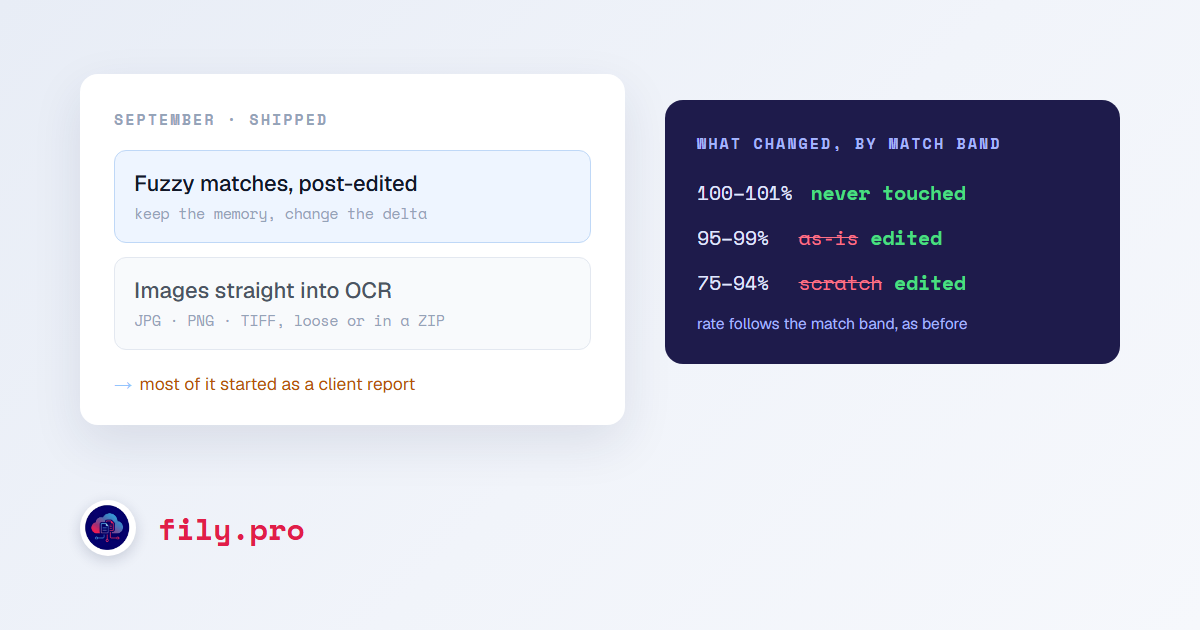
Almost everything on this list started as a report from someone who uses Fily every day: a screenshot of a segment, a file that would not import, a spinner that never stopped. That is the best source of work we have, and the longer write-ups are linked where a change deserved one.
Fuzzy matches are edited, not shipped or discarded
A 92% match is somebody’s approved translation of a sentence that is almost the one in front of you. We were either delivering it untouched or ignoring it and translating from scratch. Now every fuzzy match travels with its score, and the instruction is to keep the memory’s wording and change only what the source changed. It is switched on per pipeline profile, and the rate does not change. A fuzzy match is a draft, not an answer.
Approved matches stay approved
Glossary enforcement and the capitalization pass now act only on segments we translated. They used to reach into 100% matches as well, which meant approved memory could come back slightly different from how it went in. It no longer can.
Glossary terms know where they apply
A protected name now beats any glossary entry inside it, the longest matching entry wins over a shorter one it contains, and generic entries stay out of proper names. Quotation marks follow the source convention for the target locale instead of one Spanish style for every market. A glossary term has a scope.
Send images straight to OCR
The OCR service accepts JPG, PNG and TIFF files directly, one at a time or a folder of them in a ZIP. Until now a photographed form or a scanned page had to be wrapped in a PDF first, which is an extra step nobody should have to know about.
Your CAT bilingual comes back with the name it went out with
Downloading a single Trados, memoQ, Phrase or XLIFF bilingual now returns it under its original filename, without a suffix. Some platforms match a re-import to its task by exact name, and a file called something slightly different is a file they do not recognise. Batch downloads already behaved this way; single downloads now match.
Reviewing a ZIP ends in a ZIP
Approve & Finalize on a batch now rebuilds the edited files, releases the untouched ones and assembles a new ZIP before it reports done. It used to report done first. The ZIP that finalized everything except itself.
Empty 100% matches get translated
Our post about the skip setting ended with an open question: on the CAT pipelines, a 100% match with an empty target was flagged in the report and delivered empty. We made the call. It is now translated like any other new segment, and still listed in the report so you can see it happened.
Smaller but real
- Approve & Finalize on image QA works when the upload was a Word document. It used to send the document to OCR as if it were a scan and fail.
- Software strings where a tag inside a label is really a line break are translated as one label, when the file shows it. When a tag is a line break.
- Inline tags in Phrase Word files stay where the translation put them. The tags were right. Our cleanup moved them.
- Sign-in no longer cares how you capitalized your email address.
If one of your reports is on this list: thank you, it was specific enough to fix. If one is not yet, your Account Manager knows where it stands.
Want this in your workflow? Try Fily with one file — no card, no demo form.