Every translation tool, ours included, is built around segments: one sentence of source, one sentence of target, in a grid. That is the right unit for translating. It is the wrong unit for the person who receives the document, who never sees a grid. They see a page, and their feedback sounds like “the heading on page 4 is too long” or “that table should say Total, not Sum”.
Turning that kind of feedback into edits used to be manual: find the page, find the segment, change it, regenerate, check the page again. This release makes the page itself the place where you review.
Compare layout
On PDF jobs, the delivery card has a “Compare layout” button. It shows the original page on the left and the translated page on the right, page by page, rendered from the actual files. Open it inside the job, full screen, or in a separate window on a second monitor. If a translation is still on hold for review, only the original is shown, as with the download.
Draw a box, say what you want
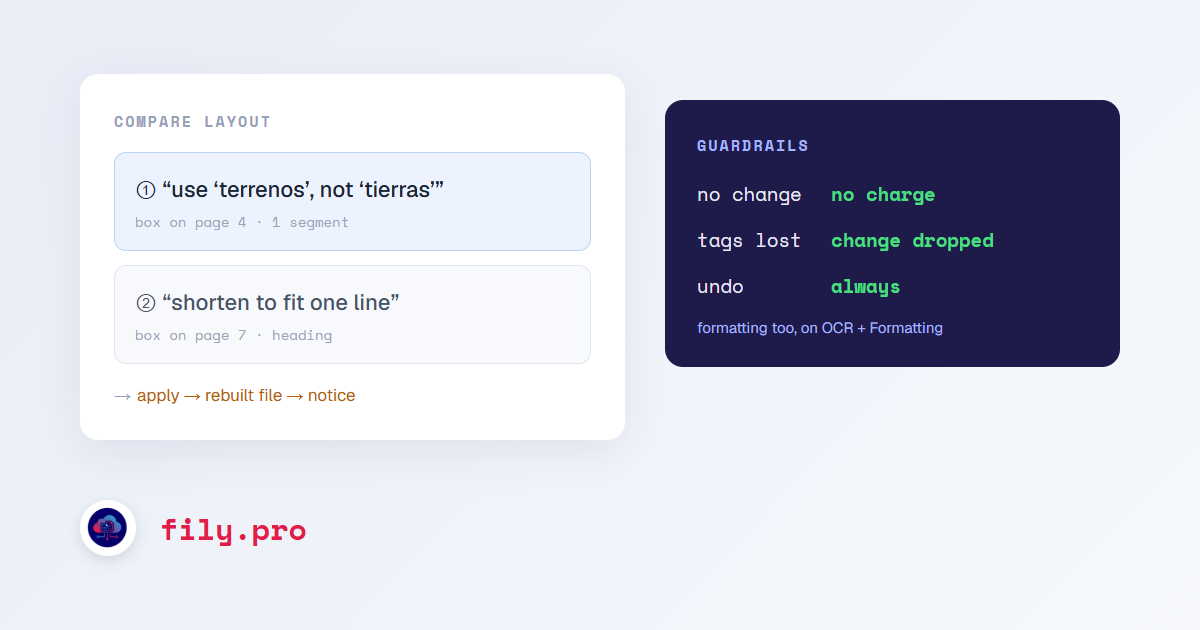
Switch to Comment, draw a box on the translated page around the text that needs to change, and write the instruction in plain words: “use ‘terrenos’, not ‘tierras’”, “shorten this heading so it fits on one line”, “this should match the title on page 1”. Each comment becomes a numbered pin on the page and a card in the comments column, so you can leave as many as you need before doing anything.
When you are ready, “Apply” shows what it will cost and asks you to confirm. Fily finds the segments under each box, rewrites them following your comment and your client’s glossary and style guide, rebuilds the file and renders the new version. When it is done you get a notice and an email that take you straight to the page you commented on.
Guardrails
- A comment is charged only if it changed something. A comment that could not be matched to text, or that the rewrite left as it was, is free.
- Tags and placeholders have to come back exactly as they were. If a rewrite would lose one, the change is dropped rather than applied.
- Every applied comment can be undone. Undoing restores the previous text and rebuilds the file again.
- Your edits go into the deliverable, not straight into the client’s approved memory. Promoting to memory still happens through review.
Formatting, on OCR documents
On OCR + Formatting jobs, where the deliverable is a Word document rebuilt from a scan, comments can also change formatting: alignment, indentation, spacing, page breaks and table column widths. “Center this title”, “the first column is too wide” and “start this section on a new page” all work.
What it does not do yet
On translations, comments change text, including shortening text to fit its space. They do not move images, change font sizes or restructure tables. Those are real desktop publishing operations, and we would rather say so than pretend a text rewrite covers them. It is the obvious next step.
Want this in your workflow? Try Fily with one file — no card, no demo form.