Product Update · June 20, 2026 · 3 min read
You already have a translation memory. It's just scattered.
Most teams we onboard tell us the same two things: they do not have a translation memory, and they do not have a glossary. Both are usually false. What they do not have is those things in a usable format — the assets exist, scattered across years of delivered files in a folder nobody opens.
The aligner: two plain files in, a TMX out
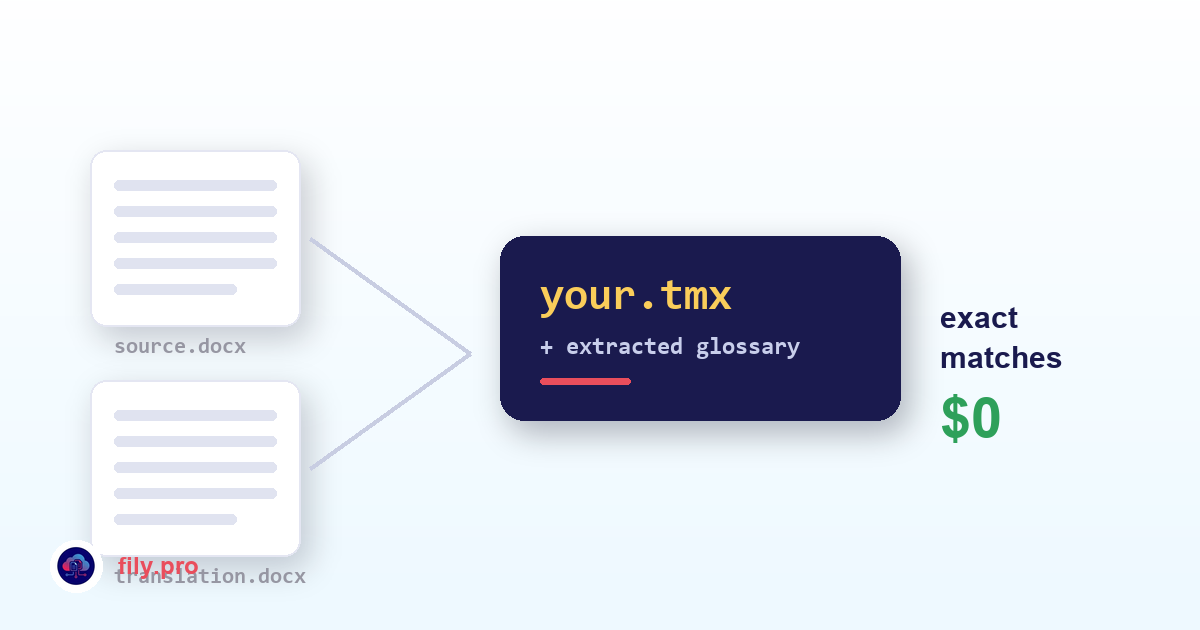
Give it a source document and its existing translation. Two ordinary files — Word or plain text, no bilingual format required, no matching segmentation. It aligns them semantically using cross-lingual embeddings, which means the two documents do not need to share sentence structure or even sentence count for the alignment to hold.
What comes back is a ready-to-use TMX plus an extracted glossary, with the option to split aligned paragraphs into sentence-level units for a finer memory. You review the aligned pairs, keep what is right, and it goes straight into your memory.
The generator: terminology from your own archive
Point it at documents you have already translated and it extracts candidate terms — the term, its translation, and how often it appears — for you to approve. Frequency matters here: it surfaces the decisions that were made repeatedly, which are exactly the ones that need to be enforced going forward.
Then those terms stop being documentation and start being enforcement. Our glossary step rewrites the target to match them, validating tags after each pass.
Why this is worth an afternoon
Both tools exist for one commercial reason: a translation memory is the only asset in this business that makes future work cheaper. Exact matches against it bypass the AI and bill at zero — rate zero, not a discount. On repetitive content, forms, contracts, recurring product updates, that routinely cuts the billable count by half or more.
So an afternoon spent aligning old deliveries is not administrative work. It is the highest-return hour available to you, and it compounds from the first job afterwards.
Both are in the app under Tools. If your archive is large or awkward, your Account Manager can run the first batch with you.
Want this in your workflow? Try Fily with one file — no card, no demo form.