Engineering · May 12, 2026 · 4 min read
Reading what nobody else can read: OCR for faxes, scans and phone photos
A healthcare LSP brought us the same complaint twice in a month: their OCR was returning blank pages. Not an error — a blank page, quietly, in the middle of a hundred-page medical record. Nobody notices until the client does.
The inputs were faxed patient records at roughly 150 DPI: stamped, hand-annotated, photocopied twice, occasionally upside down. Which is to say, exactly what real healthcare documents look like.
Two engines, automatic failover
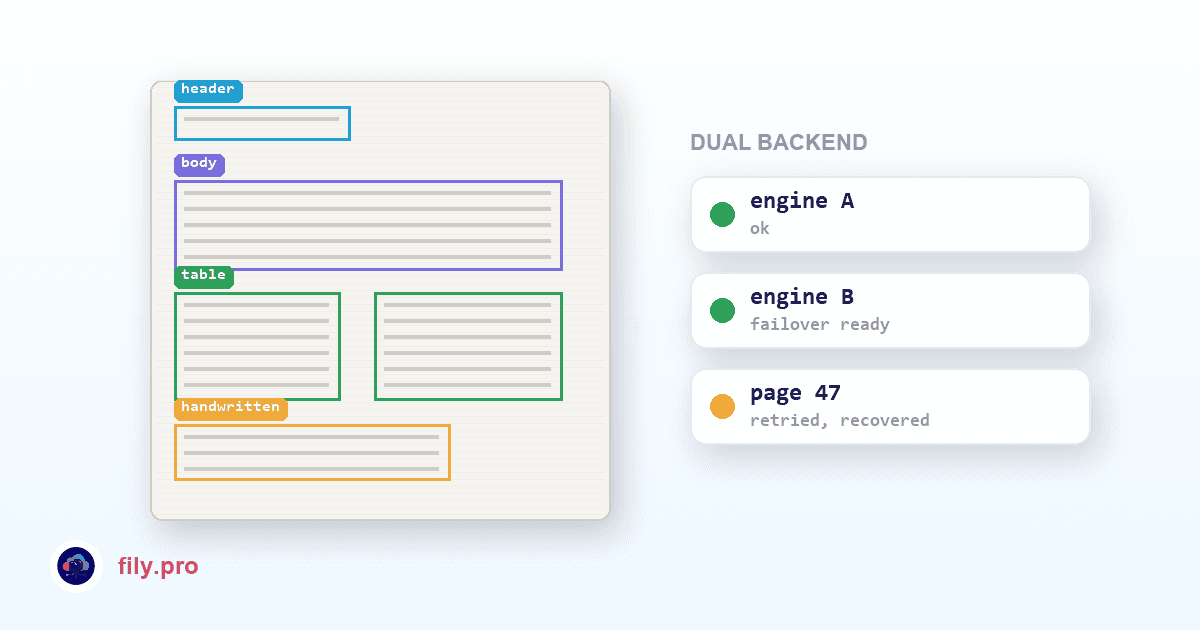
Our OCR runs on a frontier vision-language model as primary, with automatic failover to an alternate backend when the first one truncates, returns malformed output, or produces nothing. Different engines fail on different pages; running two means a page that defeats one gets a second, genuinely independent attempt.
Retry is per page, not per document. One bad page in a 200-page record does not restart or kill the job.
Structure, not just characters
- Block-level extraction that understands columns, tables and footnotes instead of flattening a form into one long ribbon of text.
- Handwriting detection with per-region confidence flagging, so annotations in the margin are surfaced rather than silently guessed.
- Images, logos, stamps and signatures cropped from the scan and placed back in the output — a translated medical form should still look like the form.
- Output as a searchable PDF or a DOCX with the layout rebuilt.
OCR is step one of twelve
This is the part standalone OCR tools cannot offer: the extracted text does not stop there. It flows into the same pipeline as everything else — glossary enforcement, forbidden terms, number and date normalization, consistency, quality scoring — and comes out as a translated deliverable with the same QA report as a Trados file.
The alternative is two vendors and a manual handoff between them, which is where the afternoon goes.
So far this branch has processed thousands of scanned pages, including the ones that arrived as a photograph of a fax.
Want this in your workflow? Try Fily with one file — no card, no demo form.