Automation handles the overwhelming majority of a translation job well. The interesting question is what you do about the rest — and how you prove which is which.
Layer one: back-translation on every segment
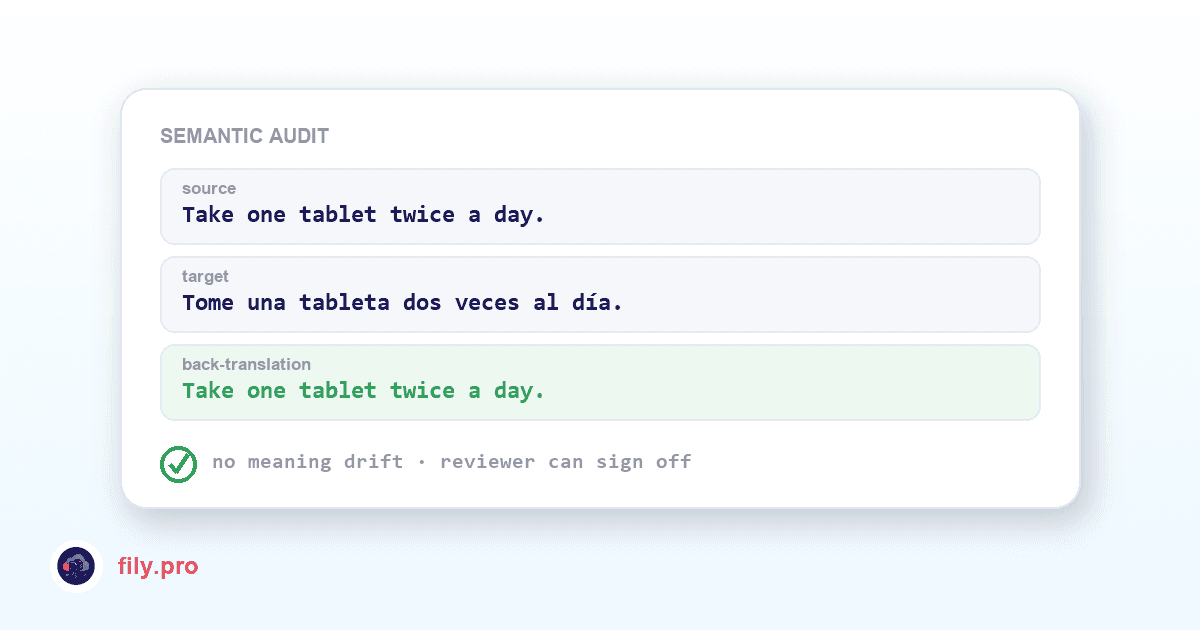
For regulated content — healthcare, legal, insurance — you can add a semantic audit. An independent pass translates each finished segment back into the source language, and the two source versions are compared for meaning drift: omissions, additions, a negation that flipped, a dosage that moved.
The output is a per-segment report you can hand to a compliance officer. It also solves a problem every project manager knows: a reviewer who does not read Vietnamese can still sign off on a Vietnamese delivery, because the back-translation is right there next to the target.
Layer two: a professional linguist, one toggle away
Flip Human QA on any job and a professional reviewer works through the output segment by segment before delivery. They do not start from a blank page — they start from the QA report and the back-translation, so their attention goes where the machine already flagged uncertainty.
It is quoted upfront in credits and tracked in your dashboard. AI speed for the 95%, human judgement where it actually changes the outcome.
The rule that keeps it honest
A Human QA job cannot be submitted without its back-translation. The system refuses to close it. That is deliberate: a reviewer who signs off without evidence produces a claim, not a check — and a claim is worth nothing to the client who has to defend the translation later.
It also means every human pass leaves an artifact behind. Corrections feed your Golden TM, so the same issue does not come back on the next job.
Where the human layer is not the answer
We will say this plainly: paying for human review of content that does not need it is waste. Internal drafts, high-volume repetitive updates, and anything with a well-maintained glossary usually come back clean. The layers exist so that you can spend human attention where the risk is, instead of spreading it evenly over everything and calling that quality.
Want this in your workflow? Try Fily with one file — no card, no demo form.