Not every job starts from scratch. Sometimes you have a translation already — done by a human, by a previous vendor, or by an engine you do not fully trust — and what you need is not a new translation. It is a pass that catches what is wrong.
Running that content through a normal translation pipeline is the wrong tool. It produces a second, different translation, and now someone has to compare two versions and decide. That is more work than you started with.
What light post-editing actually does
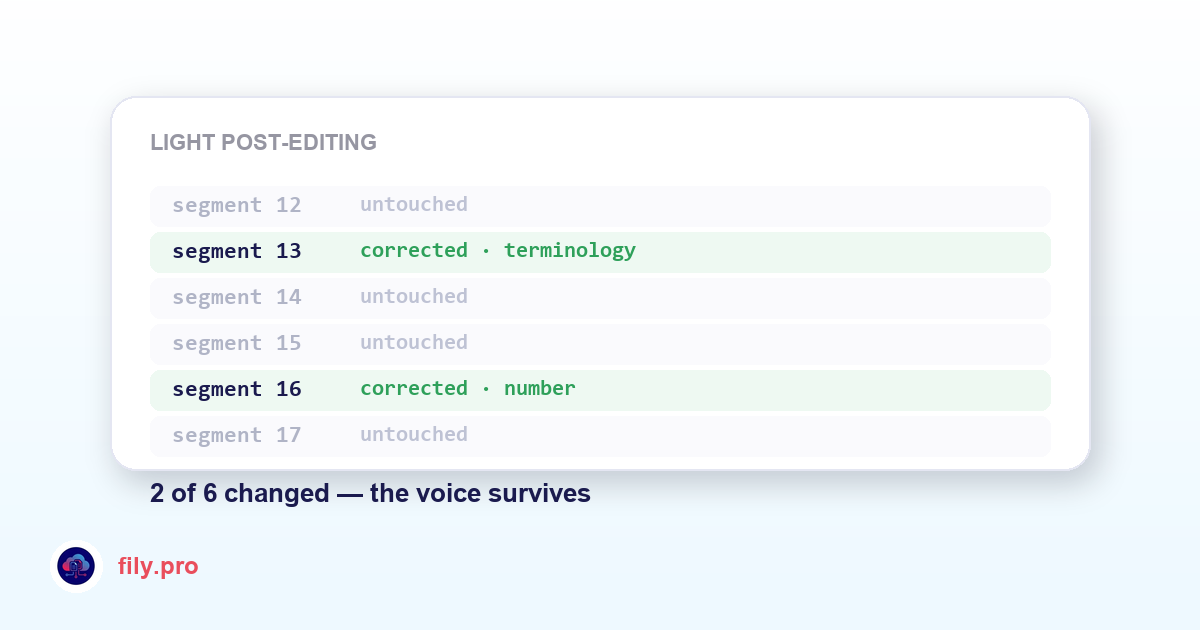
Send the bilingual file. The pipeline corrects errors only: accuracy against the source, terminology against your glossary, grammar, numbers, dates and units. Then it applies your glossary and forbidden terms the same way it would on any job.
What it deliberately does not do is rewrite for style. It will not re-phrase a sentence because a different word order reads better, and it will not smooth out a register your linguist chose on purpose. The instruction is narrow and enforced: fix what is incorrect, leave what is merely different.
Why that restraint is the whole point
A model asked to “improve” a translation will improve it — endlessly, and mostly cosmetically. You get back a document with four hundred changes, of which eleven mattered, and your reviewer now has to audit all four hundred to find them. The value of this service is entirely in what it leaves untouched.
The word-level diff makes that verifiable: you see exactly what moved and how much of each segment changed. A well-behaved post-edit pass looks like a short list of surgical corrections, not a rewrite.
When to use it
- You inherited translations from a previous vendor and want them checked before they ship again.
- A client sends you their own translation and asks you to validate it.
- You want a safety net over machine output from another engine without paying for a full re-translation.
- You are consolidating years of legacy content and need to know what is actually wrong in it.
It is billed at a reduced rate, because it is less work — and the QA report comes with it, so you can hand your client the list of what was corrected instead of the assertion that it was checked.
Want this in your workflow? Try Fily with one file — no card, no demo form.