You cannot review subtitles in a list of text. Every question that matters — does this line appear when he says it, is there time to read it, does it sit on top of the graphic — is a question about the picture. Reviewing the text alone is guessing, and the guess is usually optimistic.
So the subtitle review screen is built around the video, and it is the part of this module we spent the most time on.
The waveform is the timeline
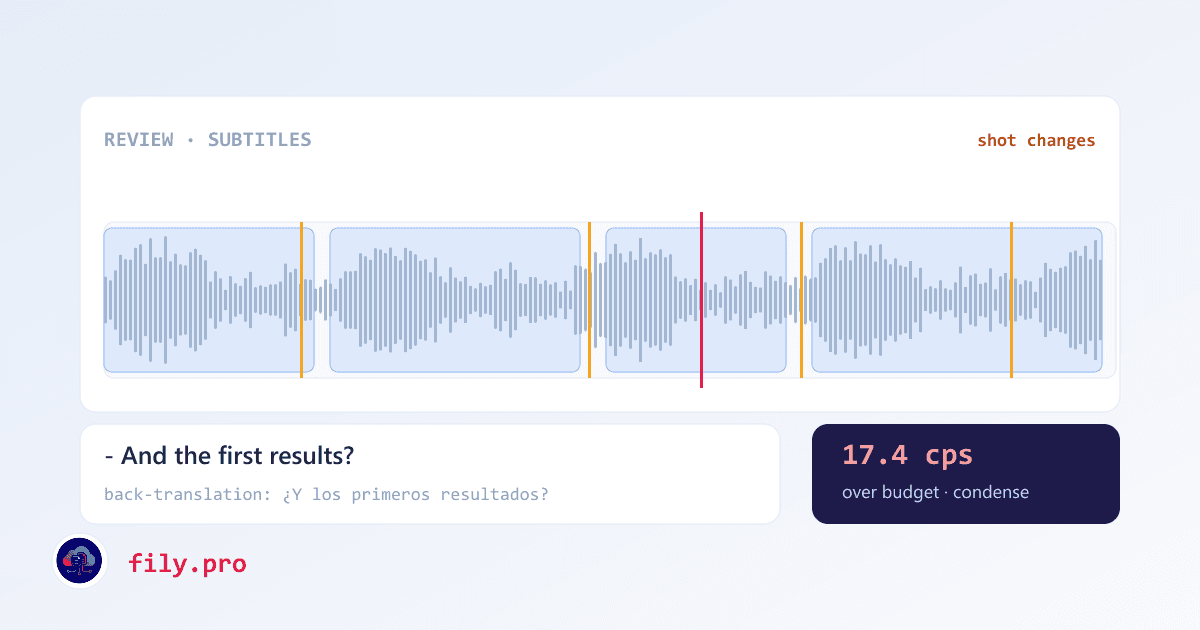
Under the player there is a waveform with every cue drawn on it as a block. Drag an edge to retime the in or out point; drag the middle to move the whole cue; click anywhere to seek there. The playhead runs at full frame rate against the audio, and the amber marks are the shot changes, so you can see at a glance that a cue is landing on a cut before you fix it.
For the frame-accurate work there is a keyboard: in-point and out-point at the playhead, nudges of a hundred milliseconds or a second, jump to the next or previous cue, play and pause, and a transport bar for people who would rather click. Reviewers who do this all day end up not touching the mouse.
You can add and delete cues
Sounds trivial; it is the feature that makes the editor honest. Speech recognition sometimes misses a line entirely — a quiet aside, a voice under music — and until you can create a cue at the playhead, the only fix is to re-run the job and hope. Now you add one where it belongs, or delete one that should never have existed, with an undo in the toast for the inevitable misclick.
You can also set italics, move a cue to the top of the frame when the bottom is covered, and rename speakers across the whole file at once.
Back-translation, for the reviewer who does not speak the language
A project manager approving Portuguese subtitles usually does not read Portuguese. So under each cue there is a literal back-translation into a language they do read — deliberately literal, because the point is to expose what the translation says, not to read well. It is generated by the pipeline, so it is already there when the job arrives, and it refreshes when you edit the text.
It is the same principle as the back-translation in our Human QA workflow: a reviewer who cannot read the target language can still catch a meaning that drifted.
Finalize rebuilds everything from what you saw
When the review is approved, every deliverable is regenerated from the reviewed cues — SRT, WebVTT, TTML — and the burn-in, if you order one, renders from the same list. The button reports progress while it works, and the MP4 downloads when it is done.
The bug that made us build a test for this
The renderers preferred a cue's stored line breaks over its text, which is sensible right up until a human edits the text. In that case the edit was saved, shown on screen, and then silently ignored by the rebuild: you would approve a correction and receive the old line.
We found it by running a job end to end with a nonsense word typed into one cue and then checking whether the word came out the other side. It did not. Now the rebuild always re-wraps from the text — except for two-speaker cues, whose line break is meaning rather than formatting — and that synthetic-marker test runs against the real pipeline. A rebuild that quietly drops a reviewer's work is worse than no rebuild at all, because everyone believes it.
Open any video job and press review. If your reviewers have been checking subtitles in a spreadsheet next to a media player, this is the afternoon that stops.
Want this in your workflow? Try Fily with one file — no card, no demo form.